

An AI face scanner is a tool that analyzes your facial features from a photo or camera feed to support style recommendations.
In haircut apps, an AI face scanner can help you preview how different lengths, fringes, and outlines might frame your face before you commit. The idea is not magic, it is guided decision-making based on facial landmarks and visual balance.

If you use it correctly, you can reduce haircut regret and communicate more clearly with your barber or stylist.
What An AI Face Scanner Actually Does For Hair Planning
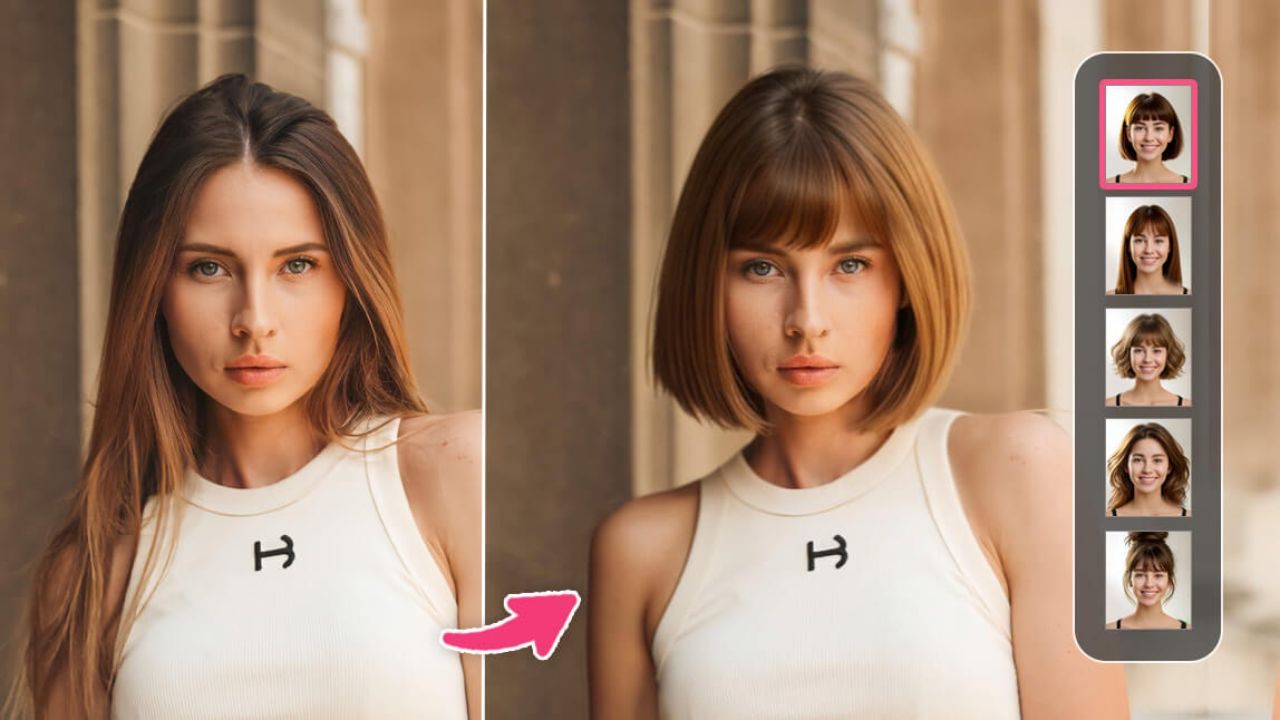
An AI face scanner is not a salon replacement, but it can be a useful planning tool. Most systems locate key facial landmarks, estimate proportions, and then overlay or generate hairstyle options that “fit” the face area.
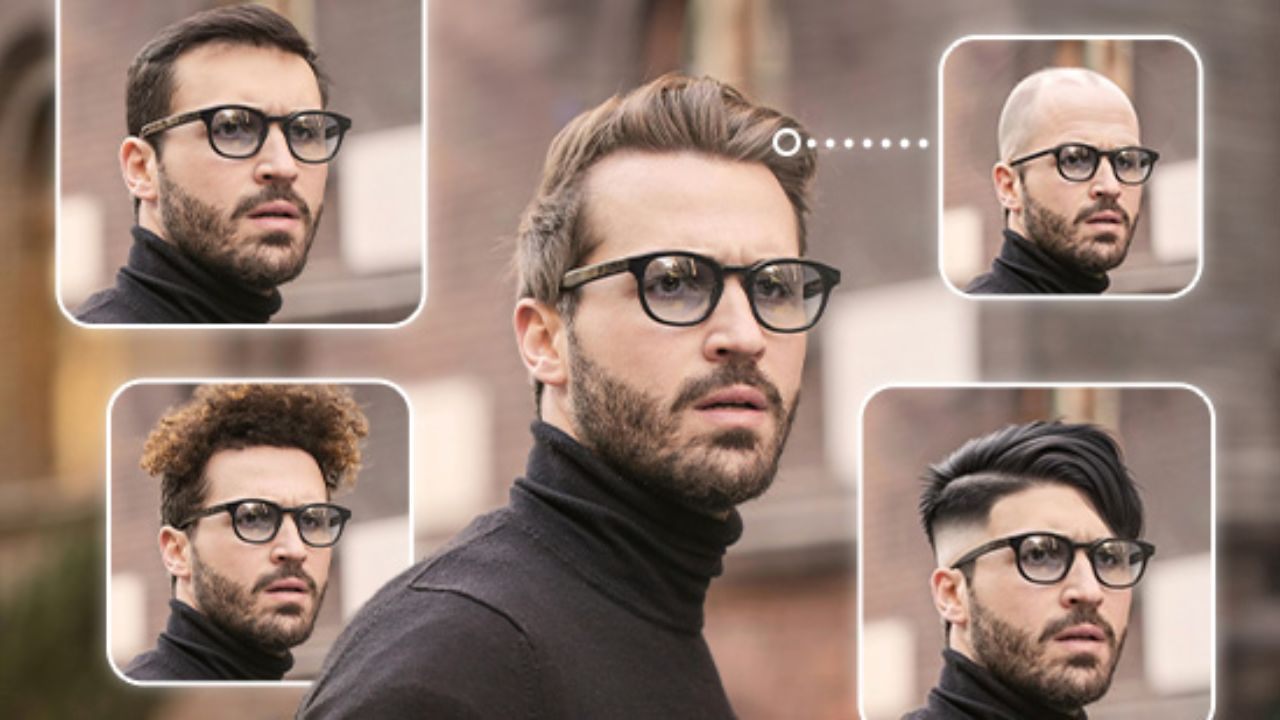
This can help you narrow choices faster, especially if you struggle to describe what you want. It also gives you a shared visual reference to show a professional. The best results come from treating the scan as guidance, not a final answer.
Face Mapping Basics: Landmarks, Symmetry, And Proportions
Most face scanners work by detecting facial landmarks, like the corners of your eyes, the outline of your jaw, and the width of your forehead.
From those points, the system estimates proportions and tries to understand how hair might frame your face.
This is why a clear, front-facing photo tends to work best. The scanner is not judging beauty, it is measuring geometry to guide styling balance. Some tools describe this as analyzing many landmarks for face-shape guidance.
How Haircut Simulation Works Versus Real Hair Behavior
A haircut simulation is a visual prediction, not a guarantee of real-world hair behavior. Apps can show a fringe, a fade, or a layered shape, but they cannot fully replicate how your hair falls after washing, drying, and moving through the day.
Lighting, camera angle, and lens distortion can also change what you see on screen. That is why you should treat simulations as a shortlist builder. The goal is to find a direction that fits your face and lifestyle, then validate it with real hair constraints.
Where The Tech Helps Most: Choosing Length, Volume, And Parting
AI face scanning helps most with big-picture choices that shape the overall look. Length changes how your face is framed, volume changes width and height balance, and parting changes how attention is drawn across your features.
If you often regret going too short, too heavy, or too flat, the preview step can protect you from impulsive decisions.
It can also help you compare similar cuts with small changes, like a higher fade versus a lower fade. This is where the tech can save you time and second-guessing.
How AI Translates Face Features Into Haircut Recommendations
Recommendations are usually built from a mix of face analysis and style libraries. The system identifies your facial geometry, then matches it to patterns learned from labeled images or pre-designed templates.
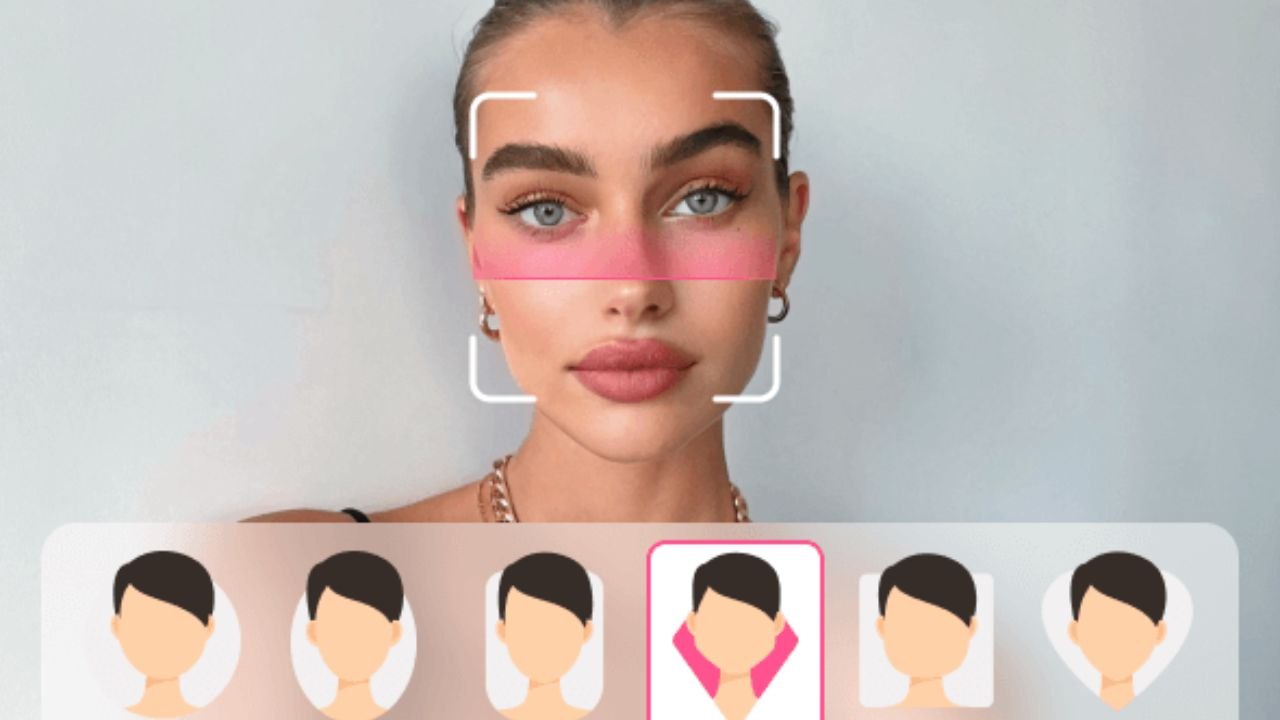
Some apps focus on face-shape labels, while others focus on virtual try-on and style generation.
Either way, you are getting a visual suggestion that aims to balance proportions, not a universal rulebook. The best approach is to use recommendations as a starting point, then adjust for hair texture, density, and maintenance needs.
Face Shape And Style Balance: Forehead, Jaw, And Cheekbones
A face scanner often emphasizes balance between your forehead, cheekbones, and jawline. For example, certain styles add height to lengthen the look of the face, while others reduce visual width by controlling bulk at the sides.
This can be helpful if you have struggled to understand why some cuts feel “off” even when they look good on someone else.
The tool is basically giving you a framing suggestion that suits your proportions. You still get to choose what you like, but you make the choice with clearer feedback.
Hairline, Cowlicks, And Growth Patterns That Change Results
Hairlines and growth patterns can make or break a haircut, and many scanners do not fully model them. A cowlick can change how a fringe sits, and a strong hairline shape can change how clean a lineup looks.
If the app preview looks perfect but your hair naturally lifts or parts in a different direction, the real cut can look different.
This is why you should check your own hair behavior before trusting a preview. A good stylist will ask about these details and adjust the plan.
Beard, Glasses, And Styling Goals That Affect The “Best Fit”
A haircut does not exist in isolation, and scanners are improving at reflecting that reality. A beard changes the visual weight of the lower face, glasses change the focal point around the eyes, and styling goals change what “best” means.
If you want low maintenance, the best cut might be the one that grows out cleanly, not the most dramatic one.
If you want a sharper look, you may choose a cut that needs more frequent trims. Use the scanner to test options with your real accessories and preferences in mind.
How To Use An AI Face Scanner To Get A Better Haircut Outcome
The value of a face scanner depends heavily on how you scan and how you interpret results.
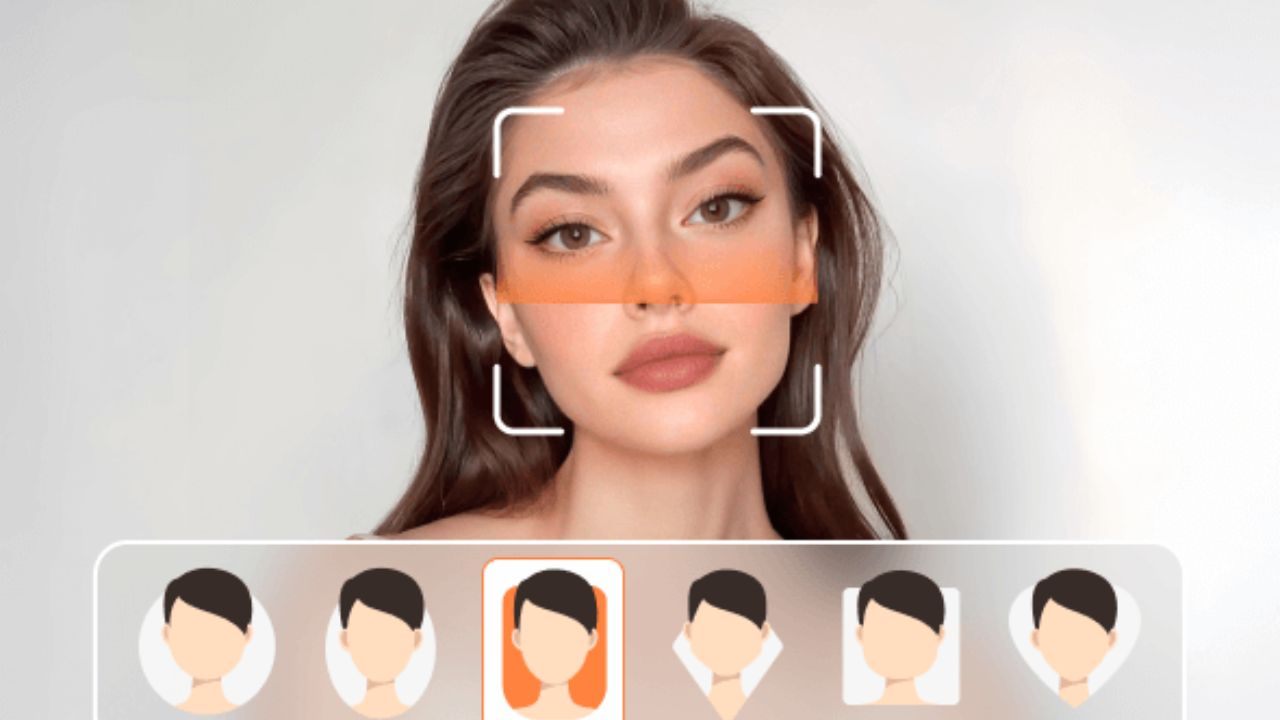
If you upload a low-quality photo or scan in harsh lighting, your preview can be misleading. If you test too many styles too quickly, you can confuse yourself instead of clarifying your choice.
The best method is structured: scan correctly, compare a small set of styles, then translate the result into clear instructions. When you do that, you walk into the chair with confidence and a better plan.
Scanning Tips For Better Accuracy: Lighting, Angles, And Neutral Expression
Use even lighting, a plain background, and a neutral expression so the scanner can detect facial landmarks more reliably.
Pull hair away from your face if possible, especially if you are testing bangs or short sides. Take a straight-on photo, then add a slight side angle if the app supports it, because profile matters for many cuts.
Avoid wide-angle selfies that distort the center of the face. A clean scan helps the preview look closer to reality, which makes your decisions safer.
How To Compare 3 To 5 Styles Without Getting Confused
Keep your comparison set small and intentional. Choose one baseline cut, then test two variations that change only one variable at a time, like fringe length, side tightness, or overall volume.
This makes it easier to see what actually improves the look instead of reacting to novelty.
Save your top three results and review them later, not in the moment. Quick scrolling can make every style seem fine, which defeats the purpose. A short list is how you get clarity.
How To Bring Results To Your Barber Or Stylist With Clear Terms
The best outcome comes from combining visuals with precise language. Show the images and describe what you like using length, weight, and outline.
Length is how long you want it on top and at the sides, weight is how bulky or textured you want it to feel, and outline is how sharp you want the edges and neckline.
You also need to mention your styling routine, like blow-drying or air-drying. This helps the professional adjust the cut so it works in your real life.
Limits, Bias, And Why “Perfect” Still Needs Human Judgment
It is fair to want a perfect haircut, but the tool cannot fully control real hair physics or personal taste.

Even the best AI preview can miss key factors like curl pattern, density, and how your hair changes with humidity. There is also the issue of training data, where some tools may perform better on certain lighting conditions or face and hair combinations.
That does not make the tech useless, but it means you should use it responsibly. Think of it as a decision aid that still needs a reality check.
Camera Distortion And Why Some Looks Fail In Real Life
Phone cameras can distort faces depending on camera distance and lens type. If you scan too close, features can look wider or narrower than they are, which changes how a haircut appears on screen.
That distortion can lead you toward a style that looks great digitally but feels off in real life.
The fix is simple: step back, use a more natural camera distance, and avoid extreme angles. You are trying to capture a realistic face shape, not a dramatic selfie. Better inputs produce better previews.
Hair Texture And Density: The Biggest Missing Inputs
Hair texture and density are often the difference between a style that works and a style that collapses. Straight hair, wavy hair, and coily hair behave differently even at the same length, and density changes how full the shape looks.
Many apps simulate the style visually without truly modeling how your strands will sit. This is why you should pair the scan with honest self-assessment and professional input. A stylist can tell you if the look needs heat styling, product, or a different cut structure.
Privacy And Data Handling: What To Watch Before Uploading Photos
Face data can be sensitive, and you should treat it that way. Some virtual try-on tools may process facial geometry as biometric-related data, which can carry extra privacy and compliance considerations.
Look for clear explanations of what is collected, how long it is stored, and whether it is shared. If the app offers camera-only processing without uploads, that can reduce risk.
Privacy regulators and legal analysts often flag biometric processing as a higher-risk category that deserves explicit consent and strong controls.
AI Face Scanner Apps That Can Help You Plan A Better Haircut
Not every app is worth your time, and “perfect haircut” marketing can be misleading.

The best apps help you visualize options, understand face shape guidance, and generate a clean reference set for a professional.
Some focus more on hairstyle try-on, others focus on face analysis and recommendations.
You can use these tools as a planning stage before you commit to a major change. Keep your expectations realistic and use the apps to support better decisions, not replace professional skill.
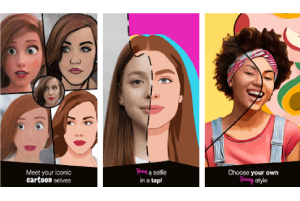
YouCam AI Hairstyle Tools For Quick Virtual Try-Ons
Perfect Corp offers AI-based hairstyle tools that let you virtually try different cuts, often with face analysis guidance. The platform markets large style libraries and positions the tool as a quick way to preview looks before making a change.
This can be useful when you want to compare several haircut categories, like short crops versus layered medium styles. It is best used to narrow options and save reference images. Start with clear photos so the face analysis performs more reliably.
L’Oréal Virtual Try-On Tools For Consultation-Style Previews
L’Oréal offers virtual try-on tools and professional-facing apps that emphasize consultation and visualization, especially for hair color planning.
While color is not the same as haircut structure, the same scanning and preview mindset helps you avoid surprises and communicate your target look.
L’Oréal has also publicly described partnerships with beauty tech providers for virtual try-on, including ModiFace in some regions. Use this type of tool when you want a realistic preview and a clearer conversation with a pro. It is strongest as a consultation aid, not a haircut guarantee.
Hairstyle Try On Apps For Simple Photo-Based Comparisons
If you want a straightforward option, some photo-based try-on apps let you upload an image and test multiple styles and colors with basic controls.
These are less “smart” than advanced face scanners, but they can still help you visualize big changes and create a shortlist. The value is speed and simplicity, especially when you want to show a barber a direction rather than a perfect simulation.
Treat these results as rough references and verify the plan with your hair type and growth patterns. Simplicity can still be useful when the goal is clearer communication.
Conclusion
An AI face scanner can help you get closer to a haircut you feel good about, mainly by improving planning and communication.
It works by mapping facial landmarks, previewing style options, and helping you compare framing choices like length, volume, and parting. It can also reduce regret by letting you test ideas before you cut, especially when you keep your comparison set small and structured.